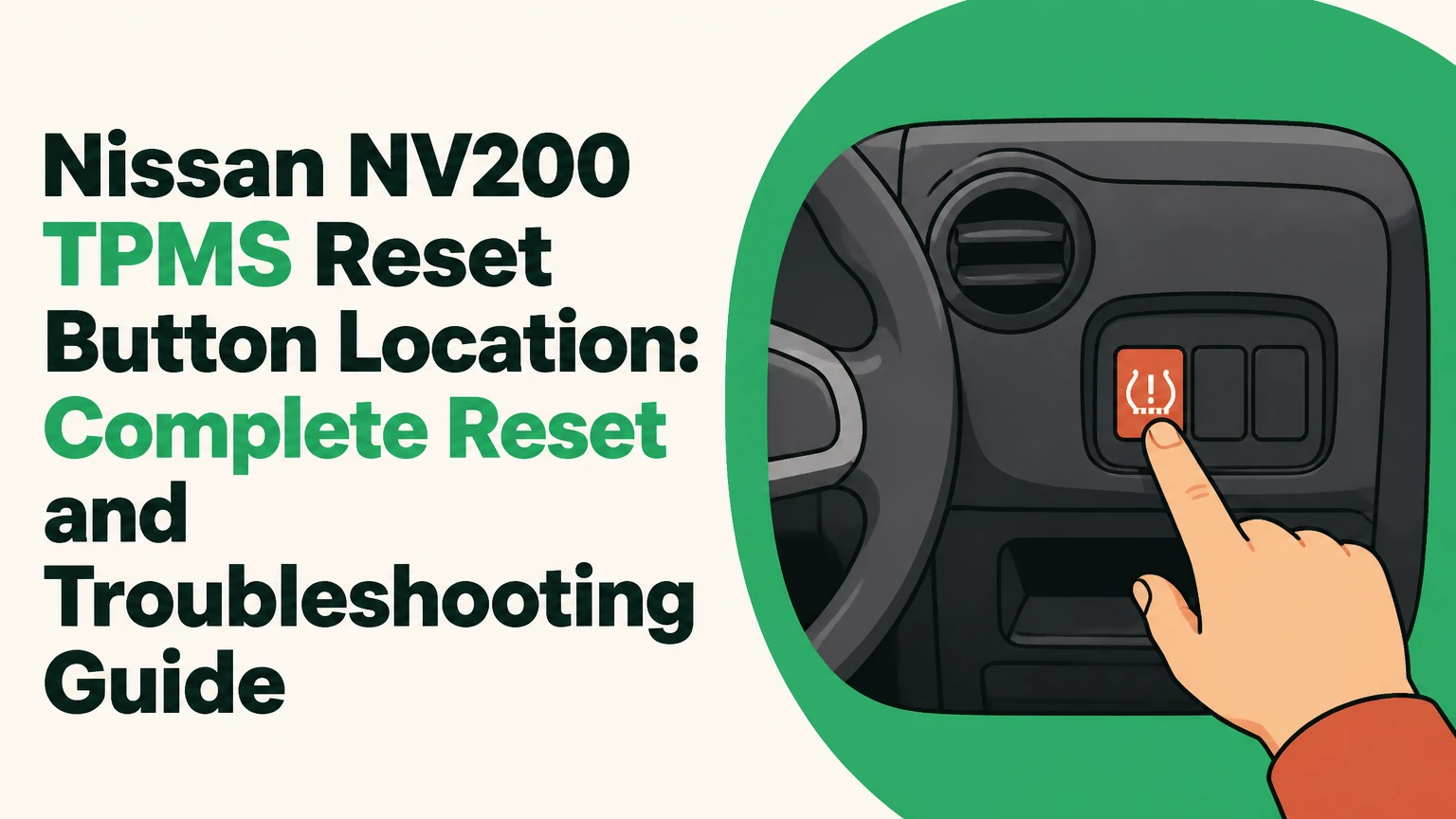
There is no physical, standalone Tire Pressure Monitoring System (TPMS) reset button anywhere on the dashboard, steering column, or cabin panel of a Nissan NV200. Instead, the vehicle relies on an automatic self-learning Body Control Module (BCM) that recalibrates through a sustained driving cycle, a digital instrument cluster menu sequence on select late-model trims, or a manual diagnostic grounding procedure using the sub-dash test connector.
Key Facts At a Glance
- Reset Button Presence: None; the Nissan NV200 does not feature a dedicated physical reset button.
- Standard Reset Method: Driving continuously above 16 mph (25 km/h) for 5 to 10 minutes after cold inflation.
- Placard Pressure Range: Typically 44 PSI Front and 48 PSI Rear, depending on specific commercial cargo load ratings.
- Sensor Battery Lifespan: 5 to 10 years; internal lithium cells cannot be replaced individually.
- Flashing Light Meaning: A 60-second flashing warning light at startup indicates a hardware fault or dead sensor battery, not low pressure.
Why the Nissan NV200 Lacks a Physical Reset Button
The absence of a traditional reset button on the Nissan NV200 stems from its commercial vehicle architecture. Designed primarily as a compact cargo van, Nissan engineered the NV200 electrical system to automatically detect and store tire pressure values via radio frequency identification (RFID) signals transmitted directly to the Body Control Module.
Without a manual reset button, drivers cannot accidentally clear warnings without first correcting the underlying tire inflation values. This design protects fleet operators and commercial drivers from masking persistent deflation issues. The BCM continuously compares incoming data from the four valve-stem-mounted sensors against pre-programmed factory thresholds stored in non-volatile memory. When pressures fall 25% or more below the recommended cold inflation specifications found on the driver-side door B-pillar placard, the system illuminates the amber horseshoe warning light on the instrument cluster.
Before You Start: Essential Pre-Check Requirements
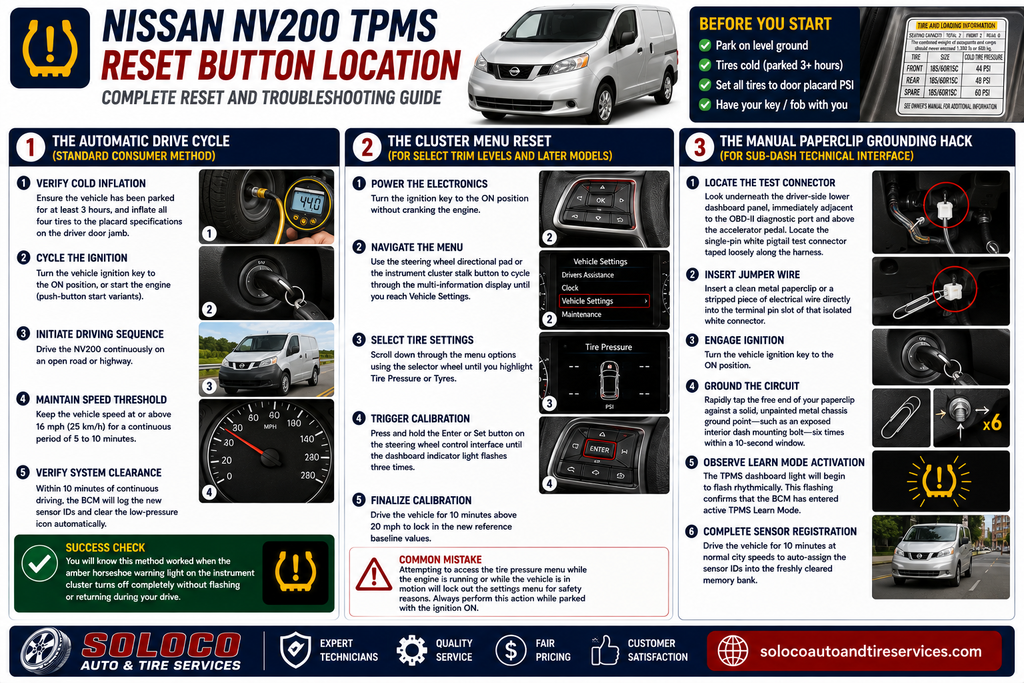
- Time Required: 10 to 20 minutes
- Difficulty Level: Easy to Moderate
- Estimated Cost: $0 (DIY) to $95 (Professional diagnostic scan)
- Required Tools: Accurate digital tire pressure gauge, compressed air source, metal paperclip (for manual override only)
- Prerequisites: Tires must be completely cold (parked for at least 3 hours or driven less than 1 mile).
Before attempting any reset procedure, you must eliminate the root cause of the warning light. Adjusting tire pressures while tires are hot from driving yields inaccurate readings because friction generates internal heat, raising psi values artificially. Use a high-quality digital pressure gauge to set all four main road tires to the exact values specified on the manufacturer placard located on the driver-side door jamb. Do not overlook the spare tire if your NV200 trim package features an under-chassis spare equipped with an active monitoring sensor.
Step 1: The Automatic Drive Cycle (Standard Consumer Method)
The automatic drive cycle is the primary, manufacturer-approved method for clearing the TPMS warning light on all model years of the Nissan NV200. It requires zero tools and relies entirely on the BCM receiving fresh telemetry from the wheel sensors.
- Verify Cold Inflation: Ensure the vehicle has been parked for at least 3 hours, and inflate all four tires precisely to the placard specifications listed on the driver door jamb.
- Cycle the Ignition: Turn the vehicle ignition key to the ON position, or start the engine if you are operating a push-button start variant.
- Initiate Driving Sequence: Drive the NV200 continuously on an open road or highway where you can maintain a steady speed.
- Maintain Speed Threshold: Keep the vehicle speed at or above 16 mph (25 km/h) for a continuous period of 5 to 10 minutes without shutting off the engine.
- Verify System Clearance: Within 10 minutes of continuous driving, the BCM will log the new sensor identification codes and clear the low-pressure dashboard icon automatically.
Success Check: You will know this method worked when the amber horseshoe warning light on the instrument cluster turns off completely without flashing or returning during your drive.
Step 2: The Cluster Menu Reset (For Select Trim Levels and Later Models)
Select late-model Nissan NV200 configurations and passenger-oriented variants equipped with advanced driver information displays feature a digital menu option within the instrument cluster.
- Power the Electronics: Turn the ignition key to the ON position without cranking the engine, powering up the dashboard computer cluster.
- Navigate the Menu: Use the steering wheel directional pad or the instrument cluster stalk button to cycle through the multi-information display until you reach Vehicle Settings.
- Select Tire Settings: Scroll down through the menu options using the selector wheel until you highlight Tire Pressure or Tyres.
- Trigger Calibration: Press and hold the Enter or Set button on the steering wheel control interface until the dashboard indicator light flashes three times.
- Finalize Calibration: Drive the vehicle for 10 minutes above 20 mph to lock in the new reference baseline values.
Common Mistake: Attempting to access the tire pressure menu while the engine is running or while the vehicle is in motion will lock out the settings menu for safety reasons. Always perform this action while parked with the ignition ON.
Step 3: The Manual Paperclip Grounding Hack (For Sub-Dash Technical Interface)
If standard drive cycles fail due to a stubborn BCM software glitch or asynchronous sensor recognition, professional technicians use a hidden interface wire located beneath the lower dash trim panel.
- Locate the Test Connector: Look underneath the driver-side lower dashboard panel, immediately adjacent to the OBD-II diagnostic port and above the accelerator pedal. Locate the single-pin white pigtail test connector taped loosely along the factory wiring harness bundle.
- Insert Jumper Wire: Insert a clean metal paperclip or a stripped piece of electrical wire directly into the terminal pin slot of that isolated white connector.
- Engage Ignition: Turn the vehicle ignition key to the ON position, ensuring all cabin electronics receive power.
- Ground the Circuit: Rapidly tap the free end of your paperclip against a solid, unpainted metal chassis ground point—such as an exposed interior dash mounting bolt—six times within a 10-second window.
- Observe Learn Mode Activation: The TPMS dashboard light will begin to flash rhythmically. This flashing confirms that the BCM has dropped out of normal operation and entered active TPMS Learn Mode.
- Complete Sensor Registration: Drive the vehicle for 10 minutes at normal city speeds to auto-assign the sensor IDs into the freshly cleared memory bank.
Comparison of Nissan NV200 Reset Methods
| Reset Option | Tools Required | Time Investment | Risk Level | Best Application |
|---|---|---|---|---|
| Drive Cycle | Digital pressure gauge | 5 to 10 minutes | None | Everyday driving and routine maintenance |
| Cluster Menu | None (Dashboard controls) | 2 to 5 minutes | None | Late-model NV200 trims with digital displays |
| Grounding Hack | Metal paperclip | 10 to 15 minutes | Low (if grounded correctly) | Stubborn software glitches and failed drive cycles |
| OBD-II Scan Tool | Professional diagnostic scanner | 15 to 30 minutes | None | Commercial garages and dead sensor replacements |
Common Troubleshooting and Failure Modes
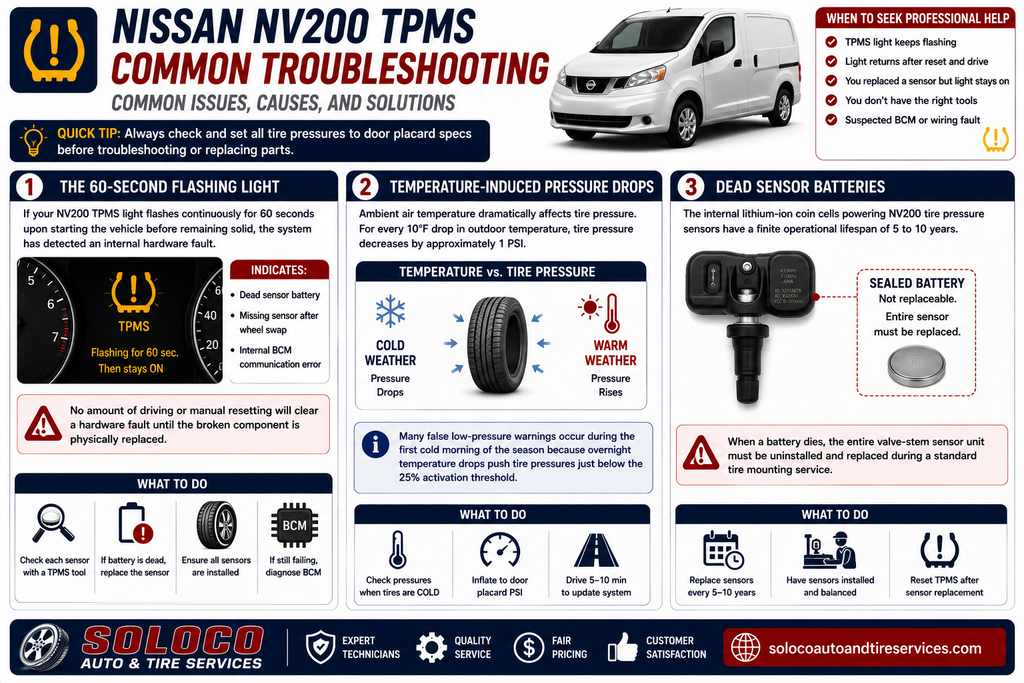
The 60-Second Flashing Light
If your NV200 TPMS light flashes continuously for 60 seconds upon starting the vehicle before remaining solid, the system has detected an internal hardware fault. This behavior indicates a dead sensor battery, a missing sensor after a wheel swap, or an internal BCM communication error. No amount of driving or manual resetting will clear a hardware fault until the broken component is physically replaced.
Temperature-Induced Pressure Drops
Ambient air temperature dramatically affects tire pressure. For every 10°F drop in outdoor temperature, tire pressure decreases by approximately 1 PSI. Many false low-pressure warnings occur during the first cold morning of the season because overnight temperature drops push tire pressures just below the 25% activation threshold.
Dead Sensor Batteries
The internal lithium-ion coin cells powering NV200 tire pressure sensors have a finite operational lifespan of 5 to 10 years. Because these batteries are hermetically sealed inside the sensor assembly, they cannot be replaced individually. When a battery dies, the entire valve-stem sensor unit must be uninstalled and replaced during a standard tire mounting service.
Expert Protocols for Commercial Fleet Operators
Commercial fleet operators managing a fleet of Nissan NV200 vans require systematic maintenance protocols to minimize downtime and prevent premature tire wear.
- Mandatory Cold Checks: Implement a mandatory bi-weekly physical pressure check using a calibrated manual gauge rather than relying entirely on dashboard indicator lights.
- Preventative Sensor Swaps: When replacing commercial cargo tires that have reached 6 to 7 years of service, mandate the simultaneous replacement of all four TPMS sensor assemblies to prevent mid-cycle battery failures.
- Scan Tool Integration: Equip fleet maintenance bays with a dedicated OBD-II TPMS programming tool to read individual sensor health metrics, battery voltages, and exact ID numbers without relying on manual drive cycles.
Frequently Asked Questions
Can I completely disable the TPMS system on a Nissan NV200?
You cannot disable the TPMS system through standard dashboard software menus, as federal safety regulations mandate functional tire pressure monitoring on light commercial vehicles. However, advanced technicians sometimes bypass persistent warning lights by unplugging the dedicated TPMS receiver module located behind the passenger-side dash panel, though this will leave the permanent amber instrument cluster warning icon illuminated.
Why does my TPMS light return immediately after resetting it?
A recurring TPMS light immediately after a reset indicates that at least one tire is still inflated below the minimum threshold, a tire has a slow puncture or valve stem leak, or one of the wheel sensors has a depleted internal battery. Check all four tires with a physical gauge to verify that pressures match the door placard exactly.
Do aftermarket tire sensors need programming on an NV200?
Yes. If you install aftermarket replacement sensors during a tire change, they must be programmed into the Nissan BCM using a compatible OBD-II diagnostic activation tool. Generic aftermarket sensors that lack proper protocol cloning will fail to communicate with the vehicle computer, resulting in a persistent flashing warning light.
What pressure should I run in my Nissan NV200 tires?
You should always inflate your Nissan NV200 tires to the exact psi values listed on the manufacturer placard located on the driver-side door jamb. Standard factory specifications typically call for approximately 44 PSI in the front tires and 48 PSI in the rear tires, though these numbers vary depending on maximum payload ratings and regional vehicle configurations.