No, Tesla TPMS sensors generally do not need to be manually paired with the vehicle after installation. Tesla vehicles automatically detect compatible sensors during a drive cycle, but some aftermarket sensors must first be configured to the correct Tesla protocol, frequency, or BLE application before mounting.
Key Facts at a Glance
Tesla vehicle relearning is normally automatic after a compatible TPMS sensor is installed.
Legacy Tesla TPMS systems commonly use 433 MHz radio-frequency sensors.
Newer Tesla applications use Bluetooth Low Energy, or BLE, sensors that are not interchangeable with legacy RF sensors.
A programmable universal sensor may need shop-tool programming before installation.
Automatic relearning commonly takes 5-20 minutes of driving above approximately 15 mph.
Correct sensor compatibility matters more than pressing a reset button.
Do Tesla TPMS Sensors Need to Be Programmed?
Tesla TPMS sensors do not usually need manual vehicle programming, because the car learns their identification data while the wheels rotate. The important qualification is that “programmed” can mean two different operations: configuring an aftermarket sensor to speak Tesla’s protocol, or pairing that sensor to the Tesla vehicle.
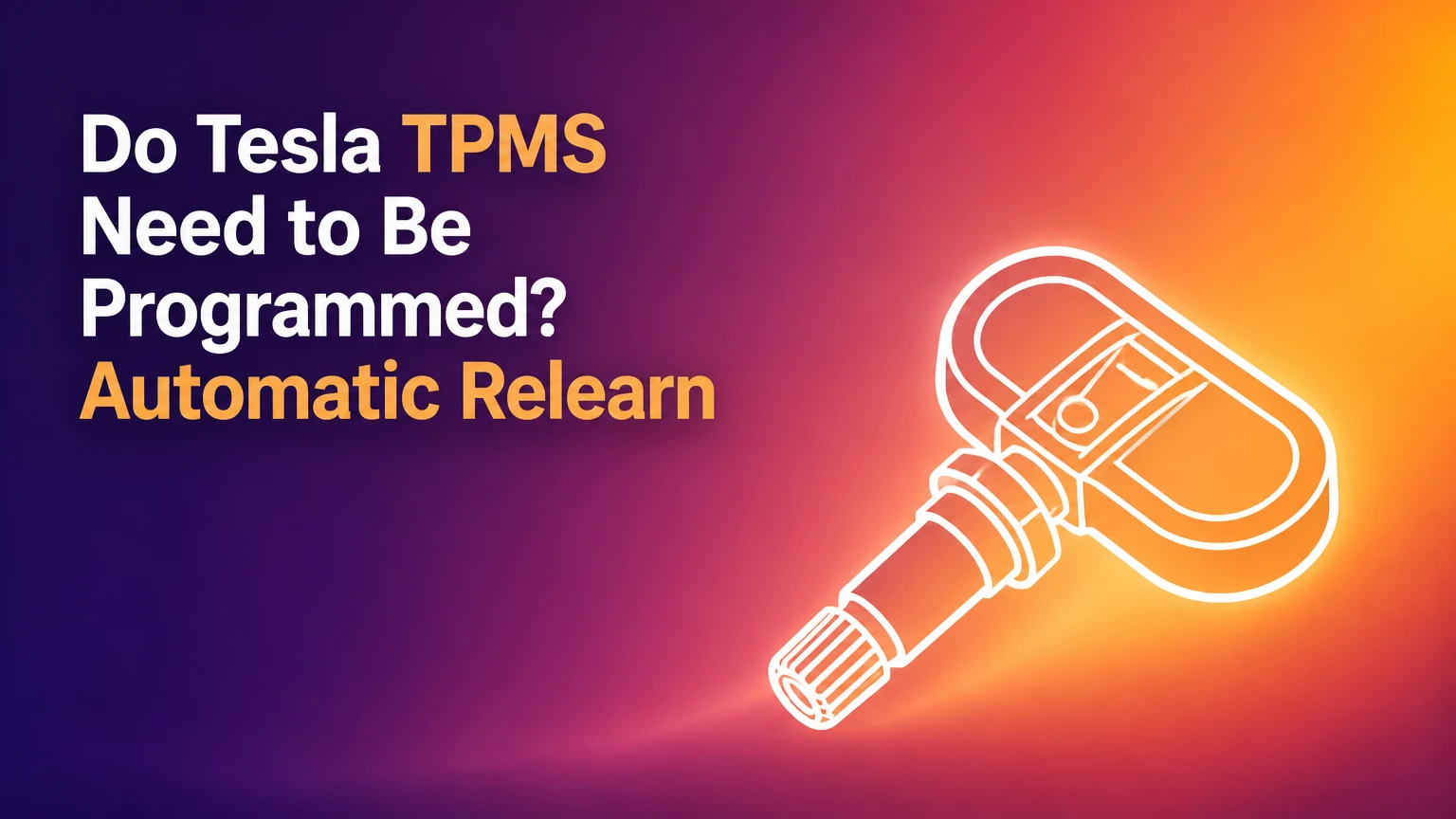
A Tesla tire-pressure monitoring system contains pressure and temperature electronics attached to a valve stem inside each wheel. The sensor transmits measurements to the vehicle’s TPMS receiver, which then displays tire pressure and temperature on the touchscreen when valid data arrives.
A pre-programmed OEM or direct-fit aftermarket sensor normally requires no additional configuration at the car. A universal programmable sensor is different. A tire shop may need to copy an existing sensor ID or load a Tesla-specific application using an Autel, ATEQ, Bartec, or similar TPMS tool before the tire is mounted.
The distinction prevents two common mistakes. A Tesla can automatically learn a correctly configured sensor, but it cannot make a 433 MHz sensor become a BLE sensor through driving. Automatic relearning is a vehicle function, not a compatibility conversion.
How Does Tesla Automatic TPMS Relearning Work?
Tesla automatic relearning begins when compatible sensors wake and transmit during wheel rotation. The vehicle receives the sensor IDs and pressure data, then gradually associates the signals with the wheel positions; a tool is not normally required to assign front-left or rear-right manually.
Tesla’s support procedure for resetting the TPMS includes setting each tire to the recommended cold pressure and driving for a period afterward. The exact touchscreen wording varies by model, software version, market, and vehicle generation, so menu labels should be treated as approximate rather than universal.
A practical drive cycle has four conditions:
- Inflate every tire to the driver-door placard pressure.
- Confirm the installed sensors match the vehicle’s hardware generation.
- Drive continuously above about 15 mph, or 25 km/h, where safe.
- Allow approximately 5-20 minutes for pressure data to appear.
Some sensors remain asleep while a vehicle is parked. Tire shops can wake them with an activation tool, but activation is not the same as programming. If the sensor is compatible and functioning, normal wheel movement usually triggers communication.
Tesla’s Model 3 service documentation describes TPMS procedures involving sensor identification and system clearing in service operations. Those procedures are diagnostic or repair procedures, not evidence that every replacement requires manual programming.
Which Tesla TPMS Technology Does Your Car Use?
Tesla TPMS technology falls mainly into two groups: legacy 433 MHz radio-frequency systems and newer Bluetooth Low Energy systems. The model and build date provide a useful starting point, but the exact vehicle configuration and replacement-part listing should decide the purchase.
| Tesla application | Typical TPMS technology | Common replacement requirement | Important qualification |
|---|---|---|---|
| Model S, 2012-2020 | 433 MHz RF | Tesla-compatible RF sensor | Early 2012-2014 cars may have Baolong equipment |
| Model X, 2015-2020 | 433 MHz RF | Tesla-compatible RF sensor | Verify production date and market |
| Model 3, 2017-2020 | 433 MHz RF | Tesla-compatible 433 MHz sensor | Confirm against VIN or current sensor |
| Model 3, 2021 and later | BLE | Tesla-specific BLE sensor | RF replacements are incompatible |
| Model Y, all production periods | BLE in commonly documented applications | Tesla-specific BLE sensor | Confirm region, production revision, and part number |
| Model S/X, 2021 and later | BLE | Tesla-specific BLE sensor | Hardware revisions can affect catalog fitment |
The year ranges are practical market guidance, not a substitute for VIN verification. Tesla made running changes, and global-market specifications can differ. A seller listing “fits Tesla” without naming the communication type is incomplete.
What About Early Model S Baolong Sensors?
Some early Model S vehicles used Baolong RF sensors that had more limited dashboard functionality than later Continental systems. Owners may encounter a replacement question that is actually an upgrade question, particularly when individual wheel pressures were not displayed as expected.
Do not assume a later Continental sensor is a direct replacement for every early Baolong setup. Confirm whether the vehicle has already received a TPMS retrofit and match the installed receiver and sensor family. Tesla service documentation or a specialist with a TPMS identification tool can establish the current system.
What Is the Difference Between Sensor Programming and Relearning?
Sensor programming writes the correct communication application or identification data into a universal sensor. Vehicle relearning teaches the Tesla which active sensors are present after installation; Tesla normally performs that second operation automatically.
| Operation | Where it happens | Tool usually required? | Typical timing | Result |
|---|---|---|---|---|
| Sensor activation | At the wheel or tire | Often a TPMS tool | Seconds per sensor | Confirms sensor response |
| Sensor programming | Inside the replacement sensor | Yes for universal units | 1-5 minutes per sensor | Loads Tesla-compatible protocol |
| Sensor installation | Inside the wheel | Tire machine and torque tool | 20-45 minutes per wheel | Creates sealed mechanical assembly |
| Vehicle relearning | In the Tesla while driving | Usually no | 5-20 minutes | Displays pressure and sensor data |
| Fault diagnosis | Vehicle and sensor system | Often yes | 10-30 minutes | Identifies ID, protocol, or receiver issue |
A “pre-programmed” sensor has already received the necessary application before sale. A “programmable” sensor is blank or configurable and may require a professional tool. A “universal” label describes flexibility, not automatic Tesla compatibility.
The most reliable purchase description includes the exact Tesla model, production year, communication type, sensor manufacturer, and part number. “Tesla TPMS sensor” alone does not provide enough information.
Which Replacement Sensor Should You Buy?
Buy an OEM or reputable direct-fit sensor when compatibility certainty matters most, and choose a programmable universal sensor only when the installer can verify and configure the correct protocol before mounting. BLE Tesla applications require a BLE-capable sensor, while older RF applications require the correct 433 MHz design.
| Sensor option | Typical unit price | Programming before mounting | Best use | Main limitation |
|---|---|---|---|---|
| Tesla OEM RF sensor | $75-$100 typical | No | Factory-compatible legacy repair | Higher parts cost |
| Tesla OEM BLE sensor | $75-$100 typical | No | Newer Model 3, Model Y, S, or X | Exact part fitment still matters |
| Pre-programmed aftermarket BLE | $45-$60 typical | Usually no | Cost-conscious BLE replacement | Seller quality and coverage vary |
| Pre-programmed aftermarket RF | $25-$45 typical | Usually no | Older RF Tesla applications | Cannot replace BLE hardware |
| Programmable universal RF | $25-$50 typical | Yes | Fleet or shop inventory | Requires a compatible TPMS tablet |
| Used sensor | $10-$40 typical | Often uncertain | Temporary or diagnostic use | Battery age and ID history are unknown |
OEM sensors reduce uncertainty, but they are not immune to installation damage or battery aging. Reputable aftermarket sensors can work well when the listing identifies the correct Tesla application and the installer confirms the sensor response before fitting the tire.
A universal RF sensor is often the economical choice for an older Model S, Model X, or early Model 3. It is usually the wrong choice for a BLE-equipped vehicle.
What Should You Do After Installing a Tesla TPMS Sensor?
After installation, set cold pressures, select the correct wheel configuration if the touchscreen provides that option, reset or relearn the system when available, and drive above 15 mph for 5-20 minutes. The successful checkpoint is stable pressure data for every wheel without a TPMS fault message.
Step 1: Verify the Sensor Before Mounting
Match the sensor to the Tesla model, build year, communication type, wheel, and market. Ask the seller or installer whether the sensor is pre-programmed for Tesla or requires configuration.
A shop should activate each sensor before mounting whenever practical. The tool should display the sensor ID, pressure reading, temperature, battery condition if supported, and protocol. Catching an incorrect part outside the tire saves a second bead-breaking charge.
Common mistake: Trusting a marketplace title that lists Model 3, Model Y, Model S, and Model X together without separating RF and BLE versions.
Step 2: Install New Valve Hardware
Replace the valve seal, washer, core, and retaining hardware supplied with the sensor. Tighten the sensor valve-stem retaining nut to the manufacturer’s specification; 4 Nm is a commonly specified value for certain Tesla-compatible BLE assemblies, but the supplied instructions take priority.
The success checkpoint is a leak-free valve assembly after inflation and a soap-solution test. Do not reuse a flattened rubber seal merely because the sensor electronics still work.
Common mistake: Overtightening the retaining nut. Excess torque can damage the sensor housing, distort the seal, or break an aluminum valve stem.
Step 3: Set the Cold Tire Pressures
Inflate all tires to the pressure printed on the driver’s door-jamb placard, not the maximum pressure molded into the tire sidewall. Check pressures when the vehicle has been parked long enough for the tires to cool.
The placard value establishes the vehicle’s intended baseline for load, handling, and warnings. A tire that reads correctly after a hot drive may be underinflated when cold.
Common mistake: Using the old tire’s sidewall number or relying on the touchscreen’s last displayed value after changing tire sizes.
Step 4: Select the Wheel Configuration
Open the touchscreen’s tire or wheel settings and choose the installed wheel and tire configuration when the vehicle offers that control. Depending on software and model, the path may appear under Controls, Service, Wheel & Tire, or Tyre Pressure Monitor.
The wheel-size selection does not program the sensor radio. It updates vehicle expectations and display settings for the selected wheel and tire package.
Common mistake: Assuming a 19-inch winter package should retain a 20-inch summer-wheel setting because the tires appear physically similar.
Step 5: Start the Drive Cycle
Drive continuously above approximately 15 mph in a safe area, preferably for 10-20 minutes. Avoid judging the result after a short driveway movement because sensors may need time to wake, transmit, and become associated with the vehicle.
The success checkpoint is pressure data appearing for all installed wheels and the warning clearing. Pressure values can update at different times, especially after a long parked period.
Common mistake: Parking immediately after installation and concluding that the sensors are defective because the display still shows dashes.
Step 6: Confirm Pressure and Leaks
Check the displayed pressure against a calibrated handheld gauge, then inspect each valve and bead area for leaks. A new TPMS reading does not prove that the mechanical installation is sealed.
The system is ready when all tires hold their cold pressure, each wheel reports data, and no TPMS service warning returns after the drive. Stop and investigate any rapid pressure loss.
Common mistake: Treating a successful electronic relearn as proof that the tire bead, valve seal, and wheel are mechanically sound.
Can You Swap Winter and Summer Tesla Wheels?
Tesla owners can swap seasonal wheel sets without manually pairing every sensor when each set contains compatible sensors. The vehicle generally relearns the active set after driving, although the first update may take longer after storage or a long period without wheel movement.
Dedicated sensors prevent repeated tire dismounting and reduce the chance of bead or valve damage. A winter wheel set for a 2022 Model 3, for example, should use the appropriate BLE sensor rather than a cheaper 433 MHz universal sensor designed for a 2019 Model 3.
Store removed wheels inflated to the manufacturer’s recommendation and inspect them before installation. Marking wheel positions can help identify a slow leak, but Tesla’s automatic location process does not depend on the owner preserving the original corner.
A seasonal set with no sensors can still physically fit, but the Tesla will display a TPMS warning or missing readings. That warning is not a harmless configuration message because the driver loses active pressure monitoring.
How Long Do Tesla TPMS Sensors Last?
Tesla TPMS sensor batteries commonly last about 5-10 years, with approximately 6 years often used as a practical aftermarket planning estimate. Battery life depends on sensor design, transmission frequency, temperature, storage conditions, and how often the sensor transmits.
The battery is normally sealed inside the sensor, so replacing the complete valve-sensor assembly is more practical than replacing an internal cell. A sensor that reports intermittently may have a weakening battery, damaged electronics, corrosion, or a communication mismatch.
| Symptom | Likely cause | First check | Typical remedy |
|---|---|---|---|
| One wheel shows dashes | Dead, asleep, or incompatible sensor | Activate sensor with tool | Replace or correctly configure sensor |
| All wheels show dashes | Wrong system type or receiver fault | Confirm RF versus BLE | Correct hardware or diagnose receiver |
| Warning after pressure adjustment | Pressure below placard value | Measure cold pressure | Inflate and complete drive cycle |
| Warning flashes, then stays on | TPMS system fault | Scan sensor and vehicle | Repair sensor, receiver, or wiring |
| Pressure changes slowly | Normal reporting interval or weak signal | Compare with gauge | Drive, then diagnose if persistent |
| New sensor works intermittently | Low battery or mounting damage | Test battery and ID | Replace sensor and valve hardware |
A low-pressure warning and a sensor communication warning are different problems. Measure the tire first, because no programming procedure can correct a puncture.
Why Is a New Tesla TPMS Sensor Not Being Detected?
A new Tesla TPMS sensor is usually not detected because the part uses the wrong RF or BLE technology, the universal sensor was not programmed, the sensor is still asleep, or the installation damaged the valve assembly. The correct diagnostic order starts with compatibility, then activation, then vehicle relearning.
Use this sequence:
- Confirm the sensor part number and communication type.
- Ask the installer to activate the sensor outside the tire.
- Verify that a programmable unit received the Tesla application.
- Check the tire for correct pressure and valve leaks.
- Park the Tesla, lock it, and allow it to enter sleep mode.
- Restart the touchscreen by holding both steering-wheel scroll buttons until the display reboots.
- Drive above 15 mph for 10-20 minutes.
- Obtain a TPMS scan if the fault remains.
A persistent “Tire Pressure System Needs Service” message warrants professional diagnosis. Service Mode procedures, including clearing stored TPMS information on supported vehicles, can affect diagnostic data and should be used by trained technicians rather than as a first response to a wrong replacement part.
Tesla’s Model Y Owner’s Manual warns that a flashing TPMS indicator followed by a steady warning indicates a system fault. That distinction matters: adding air will not repair a sensor or receiver communication failure.
What Does Tesla TPMS Replacement Typically Cost?
Tesla TPMS replacement typically costs $25-$100 per sensor, plus approximately $20-$50 per wheel for tire dismounting, sensor installation, balancing, and remounting. A four-wheel replacement commonly totals about $180-$600, depending on OEM parts, labor rates, taxes, and wheel size.
| Cost component | Typical low range | Typical high range | What changes the price |
|---|---|---|---|
| Legacy RF sensor | $25 | $45 | OEM versus universal |
| BLE sensor | $45 | $100 | Brand, part number, and availability |
| Tire labor per wheel | $20 | $50 | Local shop and wheel construction |
| Four-sensor parts | $100 | $400 | RF or BLE and OEM status |
| Four-wheel labor | $80 | $200 | Mounting and balancing scope |
| Complete four-wheel job | $180 | $600 | Parts, labor, and diagnosis |
These are typical market ranges, not a Tesla-published price schedule. Mobile service, a dealership, and an independent tire shop may quote different totals. Ask whether the quote includes valve hardware, balancing, sensor activation, programming of universal units, and post-installation diagnosis.
What Should You Ask a Tire Shop to Do?
Ask the tire shop to identify the current sensor technology, test each replacement before mounting, replace the valve service kit, torque the retaining nut correctly, and complete a Tesla drive-cycle verification. The shop should not promise that a generic “Tesla sensor” will fit without checking the vehicle.
Use this checklist:
- “Is my Tesla using 433 MHz RF or BLE?”
- “What exact sensor part number will you install?”
- “Is the sensor pre-programmed, or will you program it before mounting?”
- “Will you activate and identify each sensor outside the tire?”
- “Will you replace the rubber seal and valve hardware?”
- “What torque specification does the sensor manufacturer provide?”
- “Does the price include balancing and a leak check?”
- “What happens if the car does not learn the sensors?”
A shop that cannot answer the RF-versus-BLE question should not select the part by model name alone. The electronic protocol is the compatibility boundary.
Common Mistakes That Cause Repeat TPMS Problems
Wrong protocol selection causes more failed Tesla TPMS installations than the absence of a manual relearn command. A 433 MHz sensor cannot communicate with a BLE receiver, regardless of how long the vehicle is driven.
Other frequent errors include:
- Programming after mounting: A universal sensor may require tool configuration before the tire is installed.
- Skipping sensor activation: A dead-on-arrival sensor creates unnecessary tire removal if nobody tests it first.
- Using old valve seals: Reused seals can cause slow leaks even when the electronic sensor is healthy.
- Resetting too early: The vehicle needs correct cold pressures before a pressure reset or drive cycle.
- Confusing dashes with low pressure: Dashes indicate missing data, while a numerical low reading indicates pressure measurement.
- Ignoring build-date changes: Tesla model names cover multiple receiver and sensor generations.
- Clearing faults repeatedly: Service-mode erasure cannot compensate for an incompatible part.
One practitioner rule is worth remembering: diagnose the part number before diagnosing the software. Electronic relearn procedures receive attention because they are visible on the screen, but the wrong sensor remains the dominant failure point.
Is Manual Programming Ever Required?
Manual programming is required when the replacement is a blank or universal sensor that has not been configured for the Tesla application. Manual pairing to the Tesla vehicle is usually unnecessary, although a diagnostic tool may be used to activate, read, clone, or verify the sensor.
A tire shop may use an existing sensor ID as a cloning template for a programmable RF sensor. Cloning can simplify installation because the vehicle may recognize the replacement ID as the existing one, but the shop still must confirm that the sensor protocol and frequency are correct.
BLE systems generally require BLE-specific hardware rather than a generic RF universal sensor. Some aftermarket tools support Tesla BLE sensors, while others support only RF programming, so tool capability matters as much as sensor capability.
The honest limitation is that no universal online fitment table can guarantee compatibility for every Tesla. Production revisions, regional specifications, retrofit history, and prior service work can change the correct answer. VIN-based confirmation or identification of the sensor already installed is the safest method.
FAQ
Can I drive a Tesla after installing sensors that show dashes?
You can move the vehicle carefully to complete diagnosis, but do not treat missing TPMS data as normal for extended driving. Check pressures manually before driving, avoid high speeds if pressure status is unknown, and repair the system promptly because a puncture may not trigger a usable warning.
Does rotating Tesla tires require TPMS programming?
A normal tire rotation does not require sensor programming because the sensors remain installed and active. Tesla can automatically associate wheel positions after driving, while the touchscreen may require a wheel-position or configuration update depending on model and software.
Can I use Tesla TPMS sensors from another model?
A sensor from another Tesla model is usable only when its communication type, frequency, physical valve design, and software compatibility match the receiving vehicle. Model branding alone is insufficient. Confirm the part number and RF or BLE specification before transferring the sensor.
Should all four Tesla TPMS sensors be replaced together?
Replace all four when the sensors are near the end of their battery life or when several fail together, but replace only the defective unit when the remaining sensors test healthy. Installing one new sensor does not require replacing functioning sensors as a set.
Can a Tesla relearn sensors while parked?
Tesla automatic relearning generally requires wheel movement because the sensors wake and transmit during rotation. A TPMS tool can activate a sensor while stationary for diagnosis, but stationary activation does not replace the vehicle’s normal driving-based relearn process.
Does changing tire pressure reset the Tesla TPMS warning?
Correcting tire pressure may clear a low-pressure warning after the vehicle updates its readings, but it will not clear a sensor communication fault. Set all tires to the cold door-placard pressure, drive normally, and diagnose any persistent service message separately.
The Bottom Line
Do Tesla TPMS need to be programmed? Usually no, because Tesla automatically relearns compatible sensors while driving. The exception is a universal aftermarket sensor that must first be configured for the correct Tesla protocol. Confirm whether the vehicle uses 433 MHz RF or BLE, install new valve hardware, set placard pressures, complete a 5-20 minute drive cycle, and diagnose any persistent fault with a TPMS scan rather than repeatedly resetting the screen.